The money a bank feed cannot see
Tap your card, snap a receipt or screenshot your bank app, and GoalCents files every row for you. No bank logins needed.
Apple Pay auto-logRRSP & TFSA roomSplitsHousehold splits
0
Bank logins needed to use it
4
Ways in: a card tap, a screenshot, a receipt, the keypad
On device
Every receipt read on your iPhone, not on a server
Free
On the App Store, with no ads and no data selling
01What it does
Your whole household's money, in one app
Every number reads from the same ledger, so they all agree.
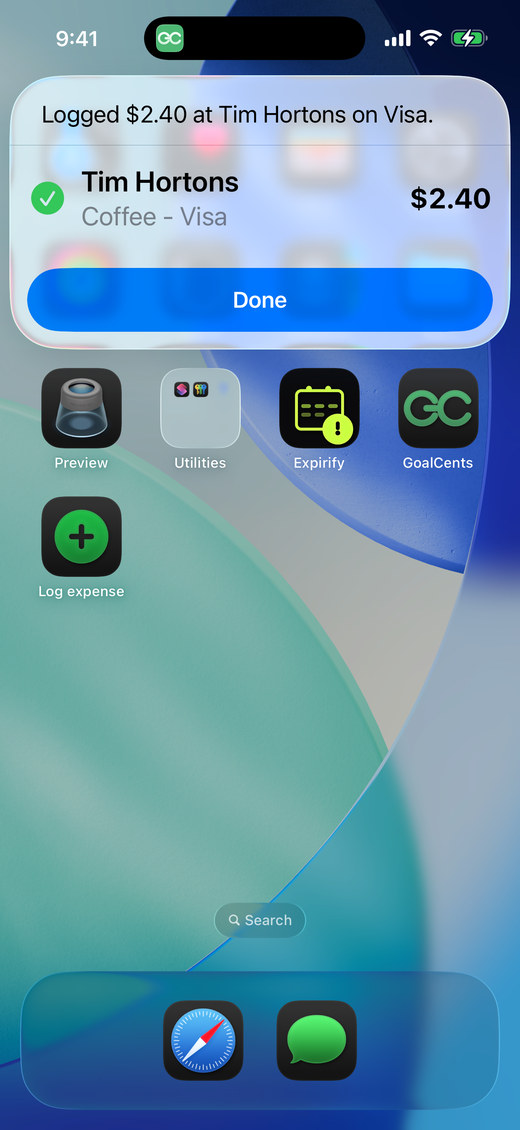
Tap your card. It logs itself.
One Shortcuts automation files every Apple Pay tap: amount, shop and category, before you have put the phone away. Still no bank login.
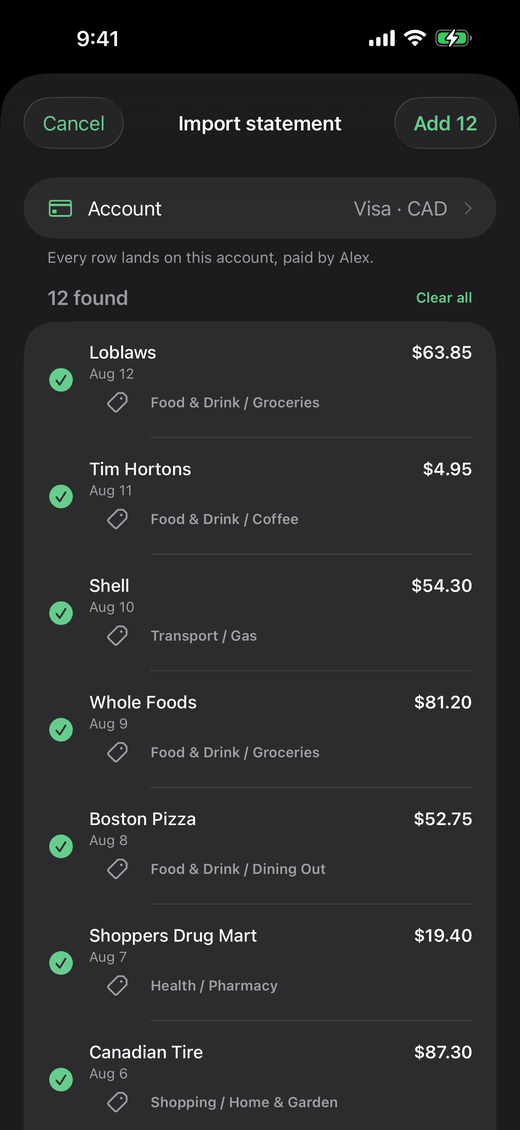
Screenshot your bank app.
Every row on the page is read on your iPhone and filed in one go, onto whichever account you choose.
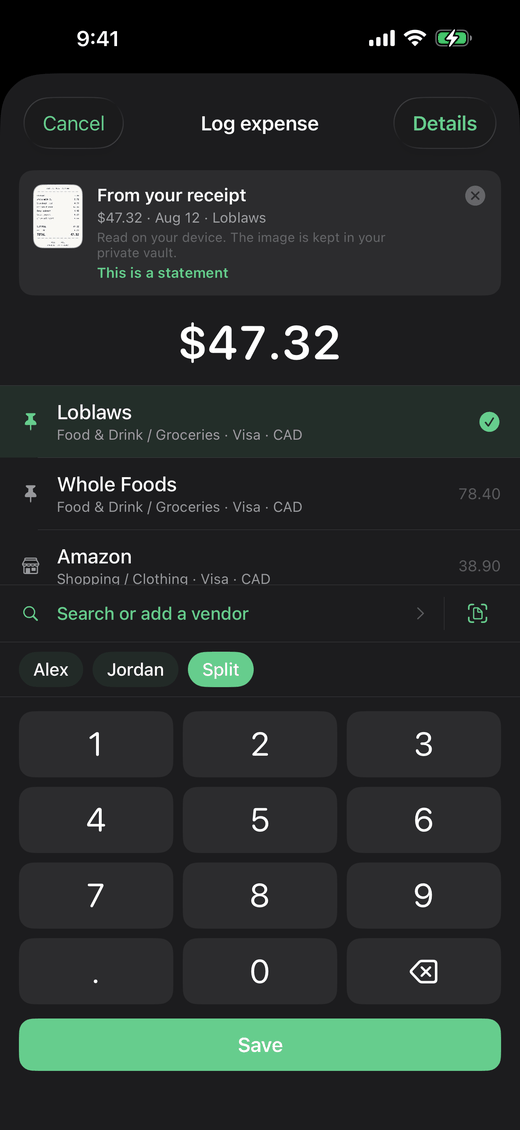
Point the camera at the receipt.
Merchant, date and total, read on your iPhone, not on a server. Keep the photo with the transaction or discard it.
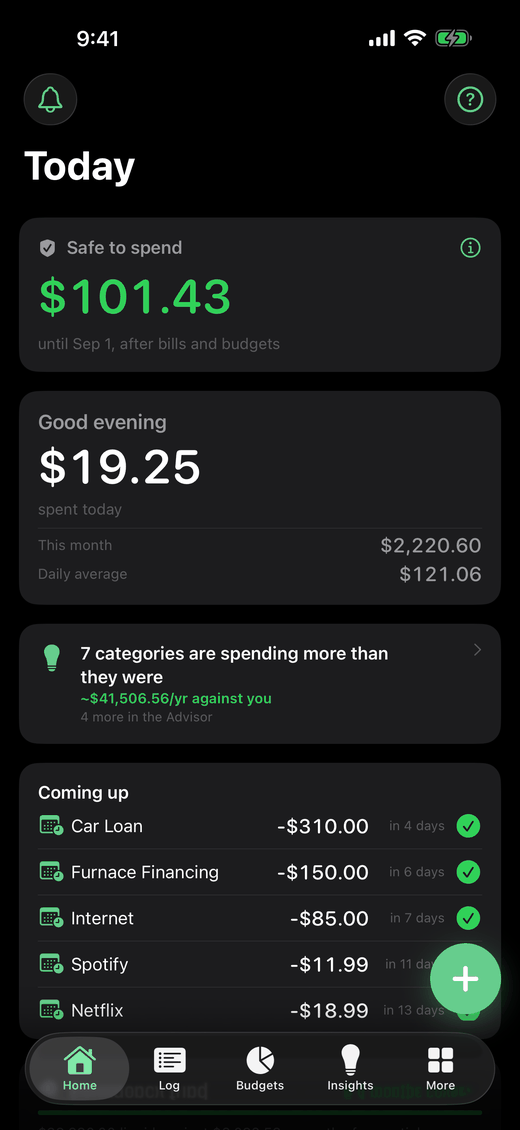
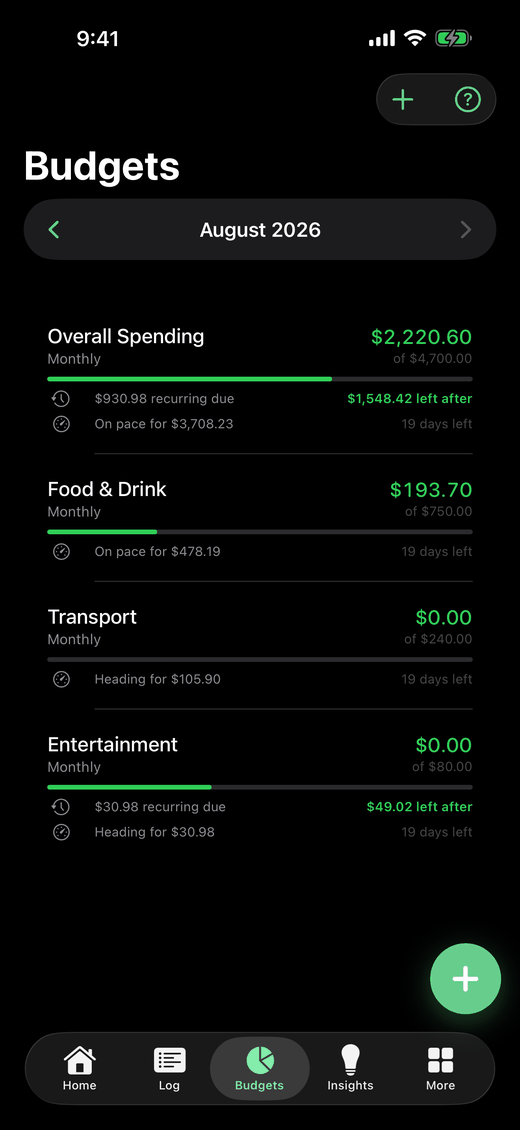
Know what is safe to spend.
Bills still to come are subtracted before the number is shown, so what is left is honest about the rest of the month.
Know what to do next.
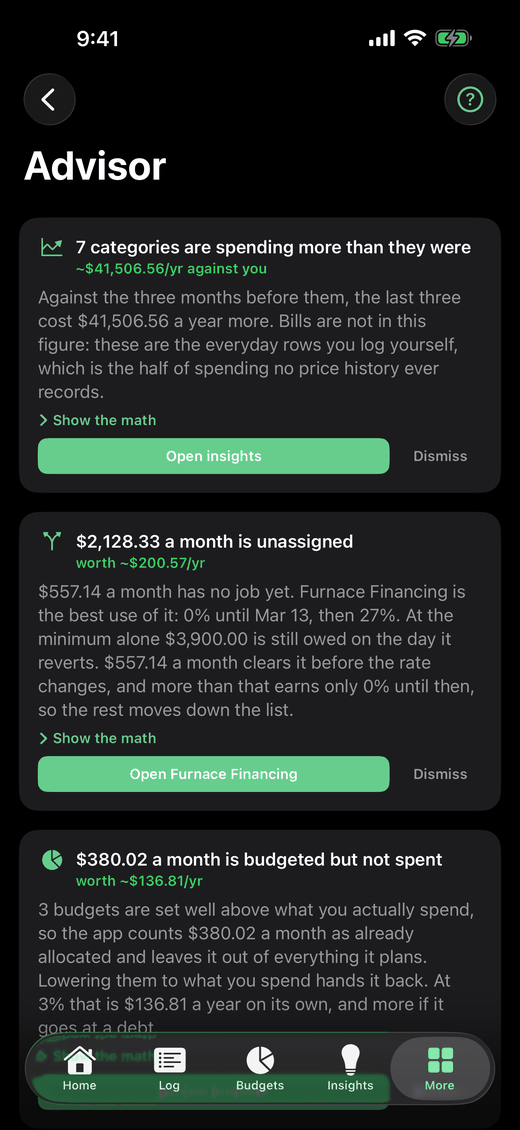
Ranked suggestions, each with a dollar figure and the math behind it. It suggests. You decide.
Everything in the app
Card taps
One automation, and every Apple Pay tap files itself.
Statements
A screenshot of your bank app, read row by row.
Receipts
Merchant, date and total, read on the phone.
Quick logging
Widget, Lock Screen, Control Centre and Siri.
Budgets
Bills reserved first, so the figure left is honest.
Bills
The next due date tracked, and a warning before it lands.
The Advisor
Ranked suggestions, each with a dollar figure.
02Your data
Private by design
No bank logins to hand over. Nothing syncing behind your back, and receipts are read on your phone rather than sent away.
03Getting started
How it works
Three steps to a clearer financial picture.
Create an account
Sign up with your email in seconds. No credit card, no bank link required.
Add your accounts and log as you go
Chequing, cards, savings, investments and debt. Then a few seconds per purchase.
See where you stand
A calm picture of the month, what is safe to spend, and what to do next.
04Also included
And the rest of it
The parts you only need sometimes, waiting for when you do.
05Free tools
Calculators, no sign-up
The same math the app runs, on the web, free and without an account.
06Questions
Frequently asked questions
Short answers to the things people ask before signing up.
Does GoalCents connect to my bank?
No, and that is the point. Rows get in from your own phone, in a few seconds each or automatically off a card tap, so there are no bank logins to hand over, nothing syncing behind your back, and nothing to leak.
Can GoalCents log a purchase automatically when I tap my card?
Yes, and still with no bank connection. In the Shortcuts app choose Automation, then New, then Transaction, point it at a card in your Apple Wallet and add the GoalCents Log Expense action. Every tap on that card then files itself: the amount comes from the transaction, the merchant is matched against your own shops, and the category comes from where you usually file that shop. It is a one-off setup, it covers cards in Wallet only, and a merchant GoalCents cannot place is still logged and waits in Needs review for you to name the shop once.
Is GoalCents free?
Yes. GoalCents is free to download and use today, with no ads and no data selling. Create an account with just an email; no credit card required.
Are my receipt photos sent anywhere to be read?
No. Receipts are read entirely on your iPhone using the on-device text recognition built into iOS, so the scan never touches the network. If you choose to keep the photo with the transaction it is stored in your own private folder, and you can remove it whenever you like.
Can I add transactions from my banking app without typing them?
Yes. Take a screenshot of the transaction list in your bank or credit card app, pick it in GoalCents, and every row on it is read on your iPhone and added to the account you choose in one go. Refunds and card payments are left out, since a card payment is a transfer between accounts you already track.
What does the Advisor actually do?
It reads your own numbers and ranks what would help most, each with a dollar figure and the math behind it: which debt to clear first, income you have not assigned yet, subscriptions that quietly went up. It only ever suggests. It never moves your money.
Can I use GoalCents with my partner or family?
Yes. Add household members, split any transaction between them by percentage, and scope budgets and goals to the whole household or to one person. Members are people you track inside your own account, so there is no second login to set up.
Can I track RRSP, TFSA, and other registered contributions?
Yes. Log contributions to registered accounts (RRSP, TFSA, FHSA, DPSP, and more) and GoalCents tracks contribution room per member, account type, and year, including first-60-days RRSP contributions.
Where can I use GoalCents?
GoalCents is a native app for iPhone. You can log a purchase from the Home Screen widget, the Lock Screen, Control Center, Siri, or the share sheet without ever opening the app.
Can I export or delete my data?
Anytime. Export your full history from Settings as a ZIP of CSV files, one per data type, or delete your account and every record with it after an emailed confirmation code.
Start counting your cents
Free on iOS. Your first budget takes about two minutes.